














































































































PSN
1
Turn on your Playstation console and ensure you are connected to the internet.
2
Log in to your Playstation Network account.
3
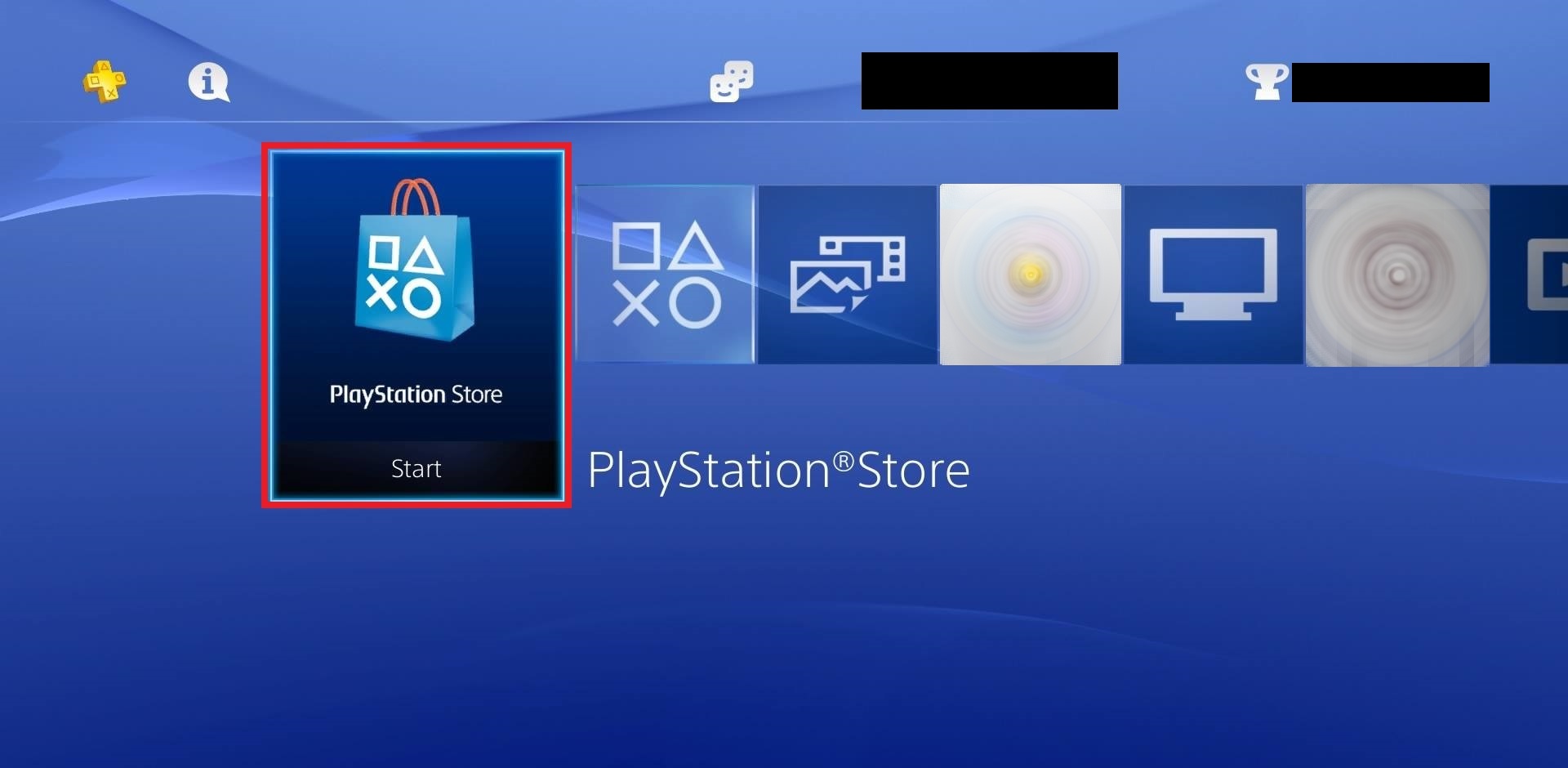
Navigate to the Playstation Store. You can find the Playstation Store icon on the main menu bar of your console's home screen.
4
Once in the Playstation Store, scroll down to the bottom navigation bar and select "Redeem Codes".
.jpg)
5
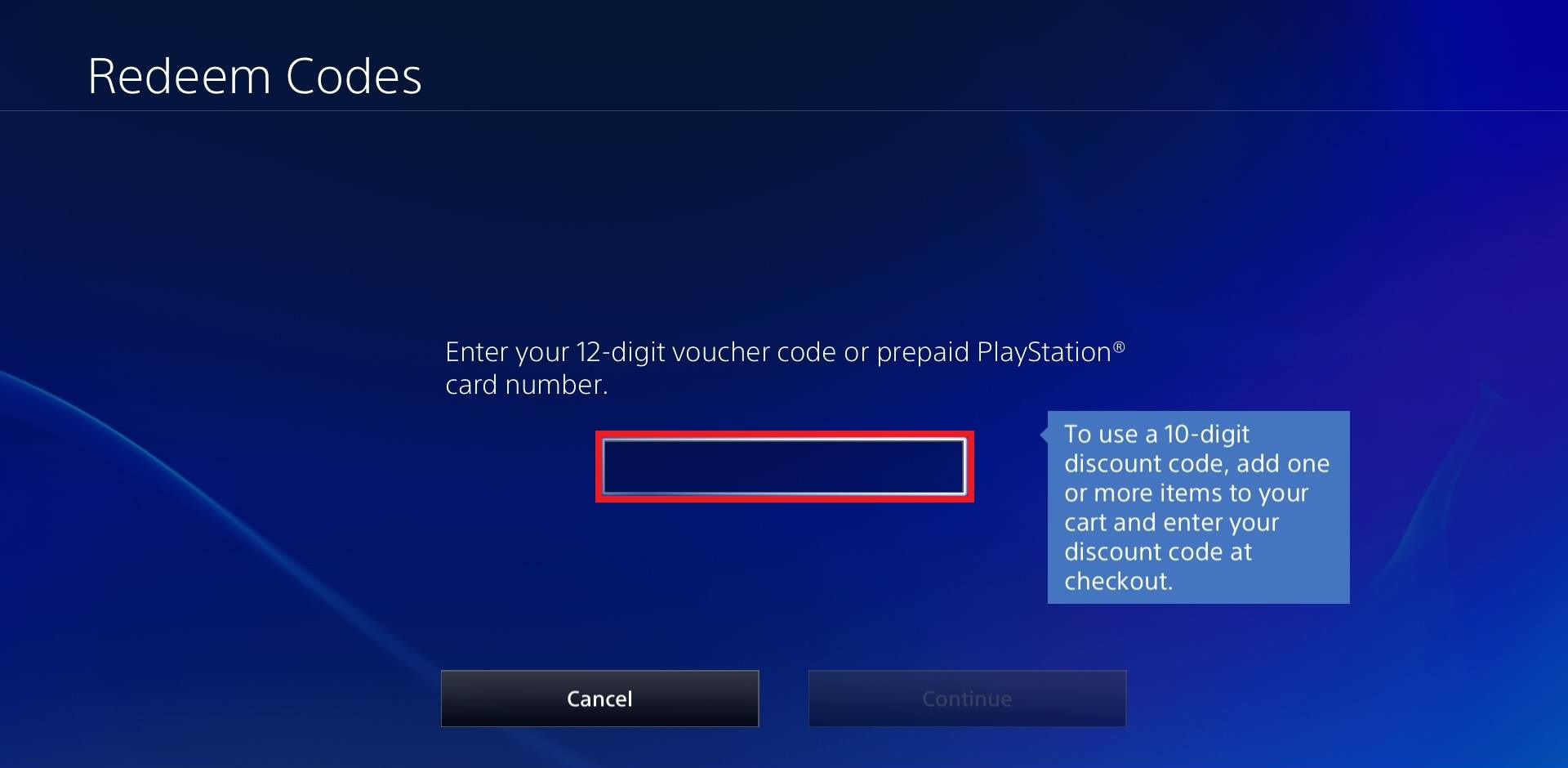
A text box will appear. Enter your PSN code carefully, paying attention to upper and lowercase letters.
6
Select "Redeem" after entering the code.
7
Follow any on-screen instructions to complete the activation process.