















































































































Operating Systems

 Microsoft Store
 Microsoft Store
 Microsoft Store
 Microsoft Store

 Microsoft Store
 Microsoft Store
 Microsoft Store
 Microsoft Store
 Microsoft Store
 Microsoft Store
 Microsoft Store
 Microsoft Store
 Microsoft Store
 Microsoft Store
 Microsoft Store
 Microsoft Store
 Microsoft Store
Operating systems and Windows license keys
Browse operating system products for installing, activating or upgrading a PC. This category includes Windows license keys, product keys and activation keys for different versions, editions and license types.
- Operating system licenses for PC installation, reinstallation or upgrade.
- Windows keys and OS products available in different versions and editions.
- Options may include Home, Pro, Retail or OEM licenses depending on the listing.
- Each product page shows edition, license type, activation details and requirements.
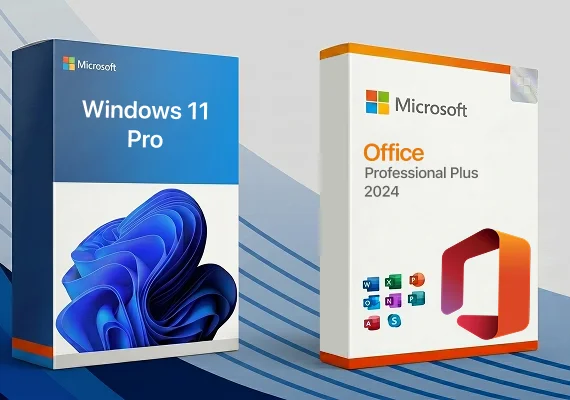
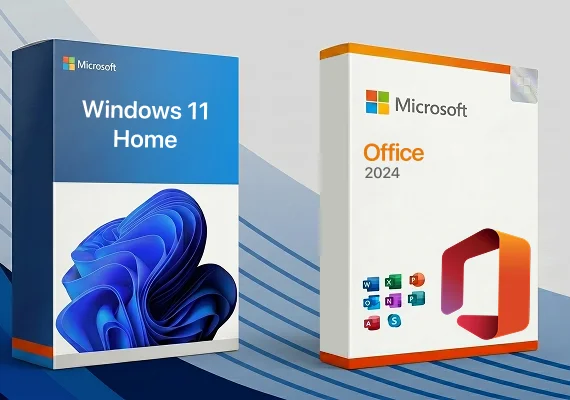
Windows 10, Windows 11, Home and Pro editions
Operating system products can differ by version and edition. Windows 10 and Windows 11 have different system requirements, while Home and Pro editions are designed for different feature needs.
- Home editions are usually suitable for everyday personal use.
- Pro editions may include additional business, security or remote access features.
- Windows 11 requires compatible hardware, including TPM 2.0 where applicable.
- Always match the key to the Windows version and edition shown on the product page.
Why some users choose older Windows versions
Some users still look for older Windows versions for legacy hardware, older software, testing environments or reinstalling an existing setup. These versions may be useful in specific cases, but it is important to check support status, security considerations and software compatibility before purchase.
- Older PCs may not meet the requirements for newer Windows versions.
- Some legacy applications or devices may require an older operating system.
- Older Windows versions may no longer receive standard security updates or technical support.
- Always verify whether the selected version is suitable for your intended use.
Retail vs OEM Windows licenses
The license type affects how the operating system can be used over time. Retail licenses are generally chosen for more flexibility, while OEM licenses are usually intended for one device.
- Retail licenses may offer more flexibility when moving to another compatible PC.
- OEM licenses are typically tied to the first device they are activated on.
- License scope, transfer rules and activation limits depend on the selected product.
- Use the product page details as the main reference before purchase.
What operating system licenses are used for
OS licenses are used to activate an operating system on a compatible PC. They can be useful for a new build, a clean installation, a reinstallation or an edition upgrade where supported.
- Activate Windows after installing the operating system.
- Set up a new PC or reinstall the OS on an existing device.
- Upgrade to a higher edition when the selected product supports it.
How Windows activation works
Activation is usually completed during installation or later in system activation settings. A Windows product key is used to activate the selected version and edition according to the license terms.
- Install the operating system using official installation media.
- Enter the product key during setup or in activation settings.
- Connect to the internet if online activation is required.
- Check the activation status after the key is applied.
What to verify before purchase
Before buying an operating system license, check whether the selected product matches your device, intended use and activation needs.
- Operating system version and edition.
- License type and transfer flexibility.
- System requirements, including Secure Boot, TPM 2.0 or 32-bit/64-bit support where applicable.
- Region notes, activation restrictions or product-specific requirements.
Frequently asked questions
Can I use a Windows key for a clean installation?
Yes, if the selected product supports the Windows version and edition you want to install. Use official installation media and enter the key during setup or after installation.
Can I upgrade from Windows Home to Windows Pro?
Some Windows Pro keys can be used for an edition upgrade from Home to Pro. Always check whether the selected product supports upgrade activation before purchase.
Do I need internet access to activate Windows?
Online activation is commonly required or recommended. Some activation methods may differ depending on the product and Microsoft’s activation process.
What should I do if the key does not activate?
Check that the installed Windows version and edition match the purchased key. Also review region, license type and activation instructions shown on the product page.
Can one Windows key be used on multiple PCs?
Usually no. A Windows key is generally intended for activation according to the license scope shown on the selected product page.